Clay migration: move the data, then rebuild the work
Quick answer
A Clay migration has two jobs: preserve your data and rebuild the work that uses it. Start with one exported table, keep its original outputs, and check every row and field after import. Then rebuild one rule and test it. This guide gives you a coverage ledger and a three-row OXYGEN CSV check. It does not claim a whole Clay workspace moved.
What can you move out of a Clay table?
A CSV can carry selected values. It does not carry the full working system behind them. Clay documents CSV export through its table tools and views. Check the selected view and columns before you download. Compare the exported row count with the rows you intended to keep.
Record the source table, export date, row count and column names. Keep the file unchanged as your baseline. Look closely at fields that contain objects or lists: a displayed summary is not proof that every nested value was exported.
This walkthrough answers a narrow question: how do you know whether your own transfer preserved what you need? Keep the export, rebuilt rules and unresolved work in separate parts of the coverage ledger.
How do you keep a migration coverage ledger?
Keep one row per source table or behavior, with a clear test and an unresolved-items column. Counts alone cannot tell you whether a formula, prompt or schedule still works.

Use the table below as a blank checklist. “Copied output” and “rebuilt behavior” answer different questions. A stored result can survive even when the rule that produced it has not moved. Mark each job complete only when its own check passes.
- Source: table or behavior name, export date and the fields you could access.
- Data: source count, exported count, destination count and a stable source-row key.
- Behavior: copied output, rebuilt rule, expected result and actual result.
- Exceptions: inaccessible fields, missing credentials, changed providers and decisions still needed.
A coverage ledger you can use before switching
| Source item | Copied output | Rebuilt behavior | Verification | Unresolved |
|---|---|---|---|---|
| Account rows | Stable ID, company and domain | None required for stored values | Compare IDs, counts and field values | Missing rows or fields |
| Fit column | Keep original label | Separate formula or prompt | Compare expected cases and hold cases | Missing source rule |
| Contact data | Keep original email and check date | New lookup and verification only if needed | Separate old output from a new run | Missing provider access or price |
| Schedule or sequence | Keep settings you can read | Rebuild inactive first | Check scope, destination and timing | Launch decision still pending |
What did the three-row CSV check actually prove?
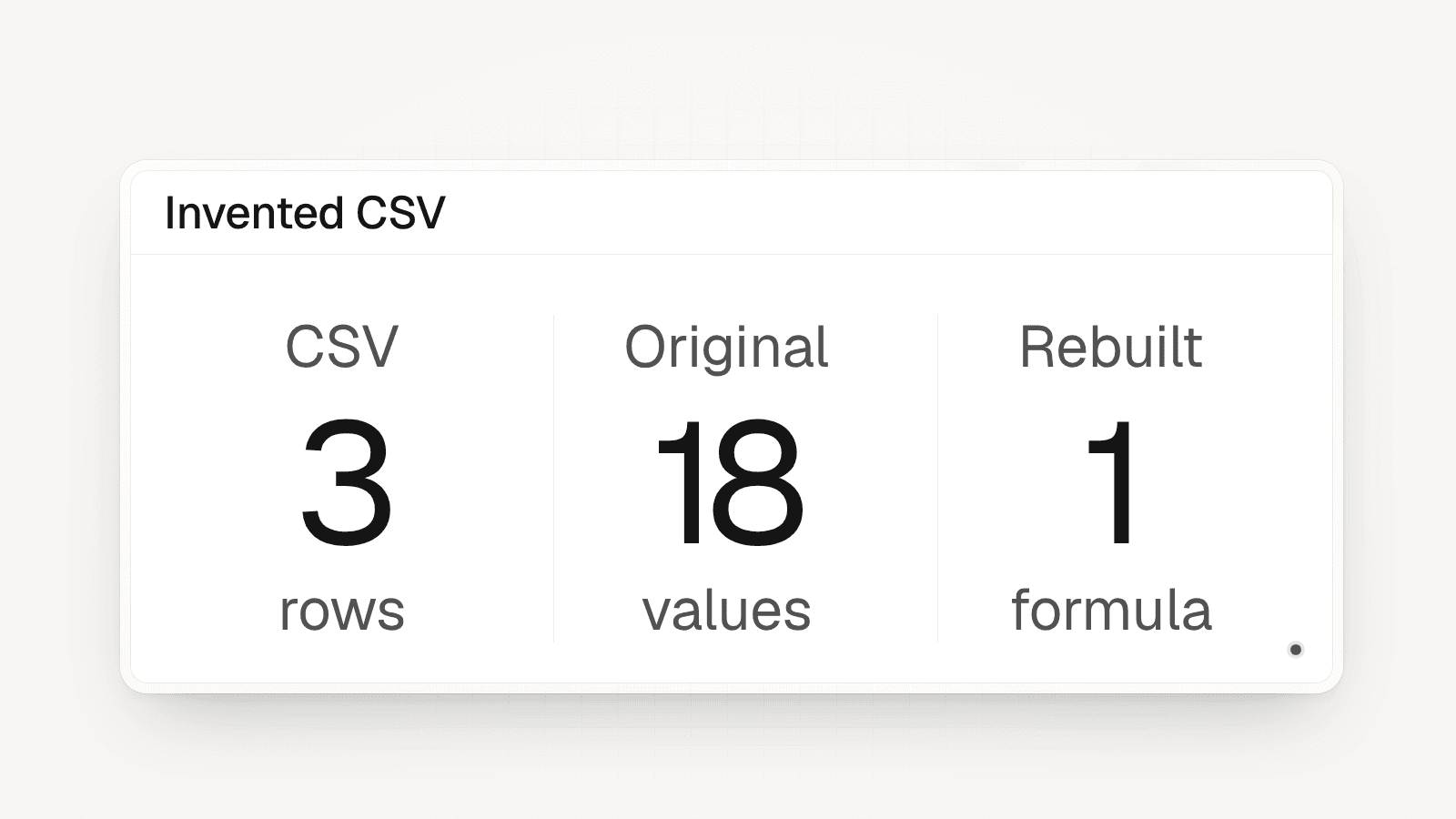
The OXYGEN-side check preserved 3 invented rows and rebuilt 1 simple rule. It did not connect to a Clay account or test Clay export. The input was a CSV we made for this test, with six fields per row.

The three example companies were Northwind Demo, Contoso Demo and Fabrikam Demo. Their employee counts were 45, 8 and 120. The original fit labels were high, low and high. All domains used the reserved .example ending, and one email field was blank.
Native import returned three rows. All 18 original values matched, treating the empty email as missing: the stored value was null. A separate formula returned high, low and high. No data-provider, AI or sending run took place.
This is a small transfer check. It does not prove real contact accuracy, full workspace recovery or automatic formula conversion. The original email and fit columns stayed separate from the rebuilt result.
- Northwind Demo: 45 employees; original fit high; rebuilt fit high.
- Contoso Demo: 8 employees; original fit low; rebuilt fit low.
- Fabrikam Demo: 120 employees; original fit high; rebuilt fit high.
How do you rebuild a formula without losing its output?
Add the rebuilt rule in a new column and compare it with the original output. Do not erase the source column to make the new rule look correct. In the small check, the original fit label and rebuilt label could be read side by side.
The test rule was deliberately simple: employee counts of 20 or more returned high; lower counts returned low. All three test counts were present whole numbers. The formula did not test missing counts, text ranges or a real account-fit policy.
For your own list, write expected answers before running the rule. Add missing values, boundary cases and a row that should be held. A guessed answer should stay unknown. If you change the rule, keep that decision in the ledger.
Sources: OXYGEN columns: formula behavior
Which parts of the sales workflow should you rebuild first?
Rebuild the decision order before connecting more data providers. Tim Scheuer’s published nine-step framework checks accounts and buyers before adding contact data (enrichment). It then adds signals, segments, sending and learning in the team’s customer records system (CRM).
Start with the account list and its fit rule. Then check buyer selection and the rule for who belongs in the list. Only then reconnect the contact lookup and verification steps. A copied email is an old output, not proof that a new lookup or check ran.
Keep sending and schedules inactive while checking the transfer. The product comparison is linked below; use the pricing page for current plan and credit terms.
- Recover source IDs before cross-table links or CRM matching.
- Rebuild one filter or formula before a full workflow.
- Check provider access and costs before a new lookup.
- Record launch scope before activating a schedule or sequence.
Sources: Tim Scheuer: nine-step GTM framework, 25 August 2026
What should you do when source logic is missing?
Hold the affected behavior and name the gap. If you have a CSV with a fit label but no formula or prompt, you can preserve the label. You cannot call a new guess the recovered original.
For example, an imported row says high but its source prompt is unavailable. Keep high in the original-output column. Mark the rebuilt rule unresolved. Ask the owner for the rule, or agree a new rule with its own expected cases.
Use the same treatment for an unavailable provider, private function or missing account permission. Copying rows does not fix access. A substitute may be useful, but it needs its own cost, output and acceptance check.
When is it safe to switch the team to the new table?
Switch only after the rows, rebuilt behavior and next action have passed separate checks. Keep the original export and source setup recoverable until then. Do not judge the transfer from a successful import message alone.
Compare source IDs, field values and missingness first. Then compare rule outputs against the expected cases. Check the next destination without enrolling or sending anything. Keep unresolved work visible instead of hiding it behind a completion percentage.
Once that small path works, choose the next table by business need. A large table is not automatically the best second test. A table with a known owner, clear rule and useful next action gives you a result the team can assess.
Sources: OXYGEN Tables: CSV import and native readback, Tim Scheuer: nine-step GTM framework, 25 August 2026
A small CSV transfer you can repeat
Keep the source file
Keep a real export unchanged with its view, field list and count. To repeat only the invented check below, save this sample as sample.csv. It is not data exported from Clay.
source_row_id,company_name,domain,email_clay_original,employees,fit_clay_original c1,Northwind Demo,northwind.example,[email protected],45,high c2,Contoso Demo,contoso.example,,8,low c3,Fabrikam Demo,fabrikam.example,[email protected],120,highImport without running providers
Use a new OXYGEN Table. Keep auto-run off and preserve original output columns. The tested import used a three-row invented CSV with six fields.
oxygen tables import --create "Migration check" --file sample.csv --sync --jsonRebuild a separate fit column
Replace <table-id> with the Table ID from the import response. This tested formula covers only present numeric counts; define a missing-data rule before using a real list.
oxygen columns add <table-id> --kind formula --key fit_rebuilt --label "Fit rebuilt" --data-type text --definition-json '{"expression":"if(number(employees) >= 20, \"high\", \"low\")"}' --jsonRead back and reconcile
Compare every source ID and original value, then check the rebuilt result. Keep unknowns, wrong values and failures separate. Import completion is only the first check.
oxygen tables query <table-id> --json
What this transfer check leaves unproven
- The CSV was invented, not exported from a live Clay account. No hosted Clay connection or workspace discovery was tested.
- Three rows do not prove scale, real data accuracy or transfer of prompts, schedules, credentials and workflows.
- The employee rule was rebuilt by hand. Imported outputs are not evidence of a new provider or verification run.
- Keep enrichment, feeds and sending inactive until their own scope, costs and launch terms are checked.
Frequently asked questions
Does a Clay CSV export include my workflows?
A CSV is a set of exported values. Treat prompts, formulas, provider connections and schedules as separate work unless you have recovered and tested them. Preserve the export and use a coverage ledger to track each behavior.
Can I keep Clay output and rebuild it later?
Yes. Keep original outputs in separate columns, with their source and date where available. Rebuild the rule in a new column and compare expected cases. An old email or fit label does not prove that a new run succeeded.
Did OXYGEN test a full Clay workspace migration here?
No. This check imported three invented CSV rows on the OXYGEN side and rebuilt one simple formula. It did not sign in to Clay, export a real workspace or transfer its workflows. Those require their own source access and tests.
What if the source formula or prompt is missing?
Preserve the existing output and mark the behavior unresolved. Recover the source rule or agree a replacement with the owner. A new approximation can be useful, but should have its own expected cases and remain separate from the original.
Will importing the CSV send messages or buy new data?
The check here ran no enrichment, AI or sending. Keep auto-run, feeds and schedules inactive in your destination. Any later lookup or campaign needs its own cost preview and launch scope; a data transfer is not that launch.
Related
Sources
- Clay University: export data from a table, checked October 28, 2026
- OXYGEN Tables: CSV import and native readback, checked October 28, 2026
- OXYGEN columns: formula behavior, checked October 28, 2026
- Tim Scheuer: nine-step GTM framework, 25 August 2026, checked October 28, 2026
Updated October 28, 2026. OXYGEN's own prices and limits come from the product and its live price list. The other products named here are trademarks of their owners and are not affiliated with OXYGEN. Something out of date? Tell us.